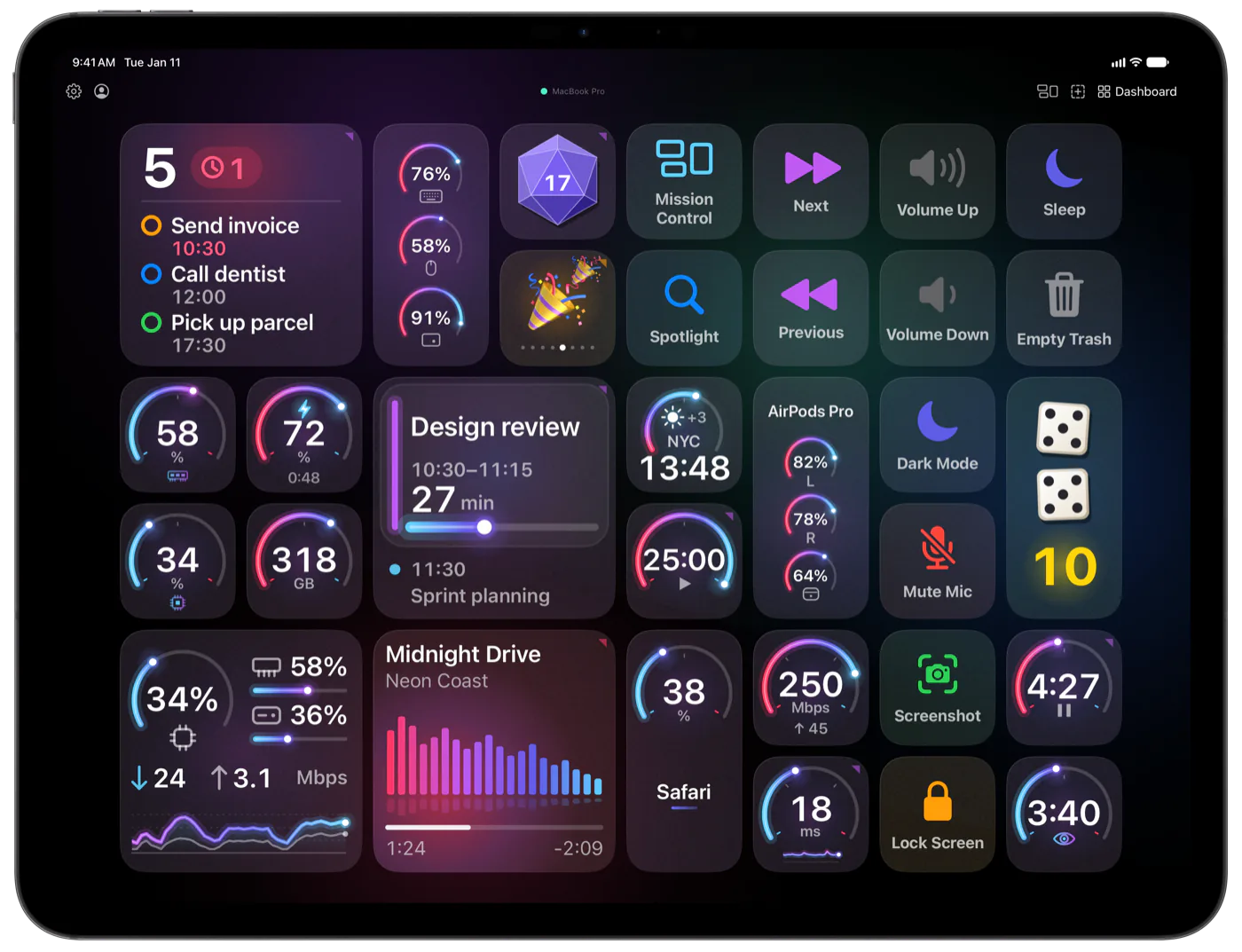
AI Macropad for Mac, on your iPhone and iPad. Your AI builds the buttons.
Ask Claude, ChatGPT or any MCP client for a whole page of buttons: hotkeys, scripts, apps, live numbers that update on their own. You approve every change it sends, right on your phone.
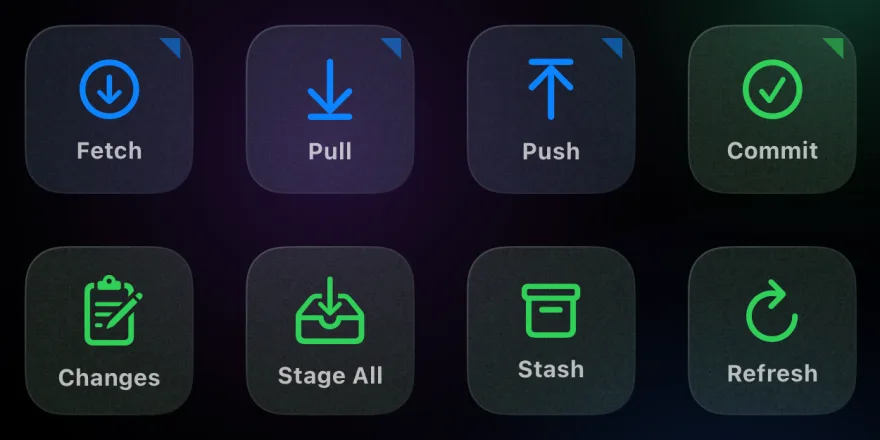
The five git commands you type all day, on buttons
Tail prod logs without opening a terminal
Run migrations from your phone, not from finding your laptop
Restart that service whose name you forgot
02Designers
Your shortcut sheet, retired.
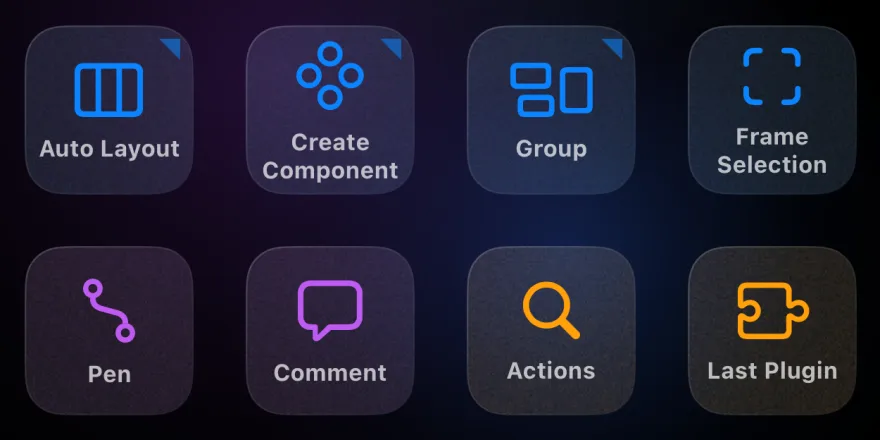
Color picker, eyedropper, vector mode — on labelled buttons
Toggle layers, masks, UI without leaving the canvas
Export PSD, PNG, SVG — one tap, every preset
Switch tools — the buttons follow you
Stop memorising 200 shortcuts per tool
03Advanced users
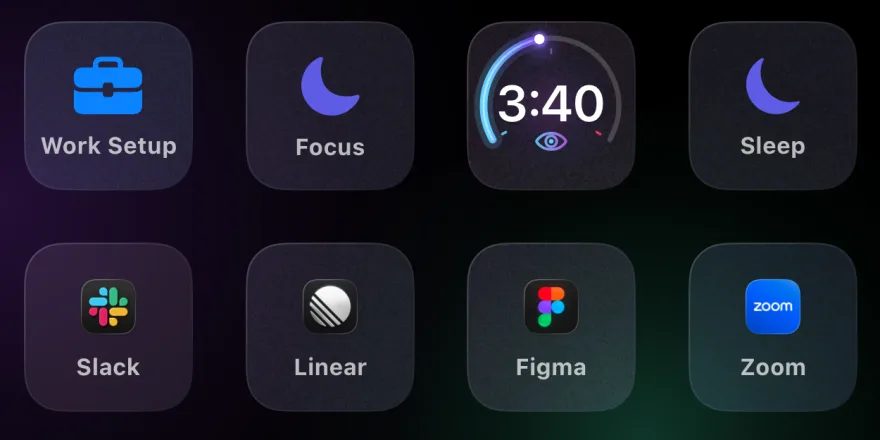
Your whole day, on one tile.
"Focus" mutes Slack, hides the dock, kills notifications
"Work setup" launches every app you need at 9 a.m.
That AppleScript from 2023 — finally one tap away
Caffeinate, brightness, sleep — labelled, not memorised
Fifty forgotten hotkeys, parked on labelled buttons
Capabilities
A page per app. A button per action.
Hotkeys, app launches, system actions, shell scripts, AppleScript, Shortcuts, links and text snippets: whatever your Mac can do goes on a labelled button, one tap away from the window you’re in.
01
Type a task, and your agent gets to work
Some buttons ask first. Tap Task for an Agent…, type or dictate the job, and Claude Code or Codex starts on it in a new window or tab of your terminal, in a worktree of its own. It may commit, never push.
More wait under Ask First in the Gallery, and most work the moment you add them: Type…, To the Mac…, Ask Claude…, Ask ChatGPT…, Search…, Reminder…, Note…, Email… and Say Aloud…. Ask the Project… and To Inbox… work at once too, like Task for an Agent…: they use the folder of your last AI session and Reminders until you pick your own. Only Bug in Linear… and Bug on GitHub…, which file a bug with your project’s branch and last commit, need setting up first: a Linear key, or the project folder and the GitHub CLI.
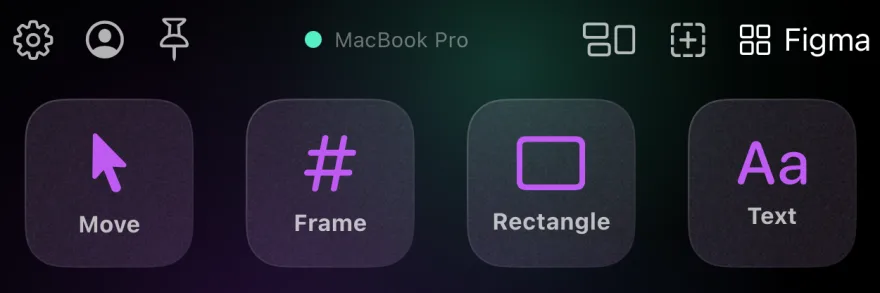
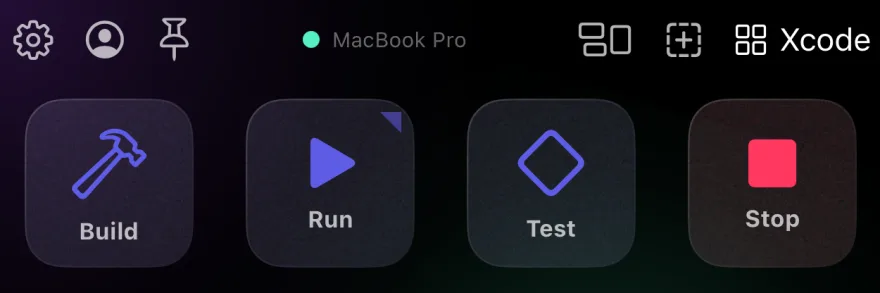
Turn on Open with App for a page, and it comes up whenever its app comes to the front on your Mac: Figma brings its tools, Xcode its build buttons. Pin a page when you want it to stay put. Ready pages for Xcode, Figma, Fork, VS Code, Cursor, Linear and dozens more apps wait in the Gallery.
Figma in front→Xcode in front
03
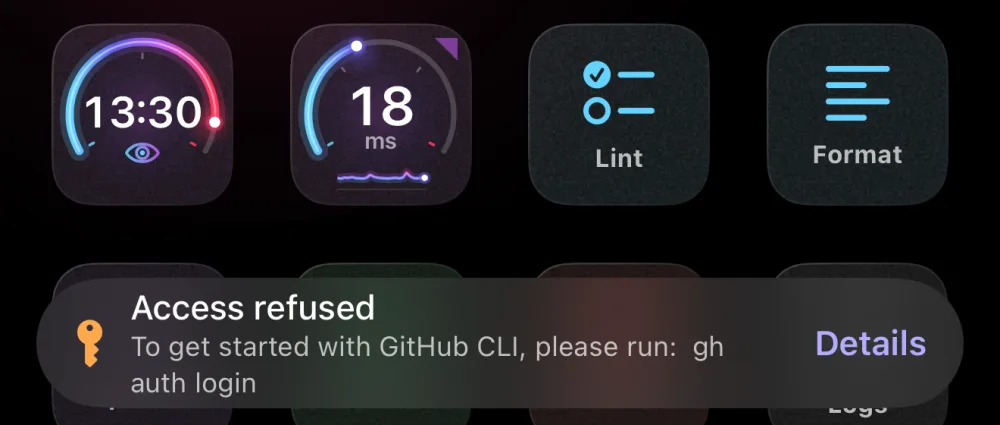
A failed tap tells you why
The button flashes red, and a toast names the problem with the error’s first words. Details has the rest.
04
Your build and your day, side by side
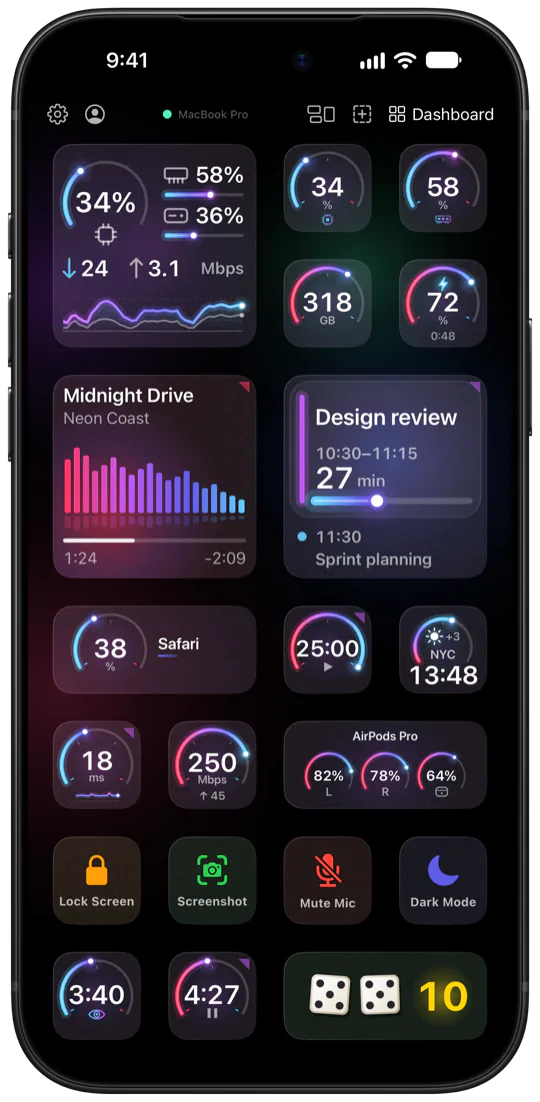
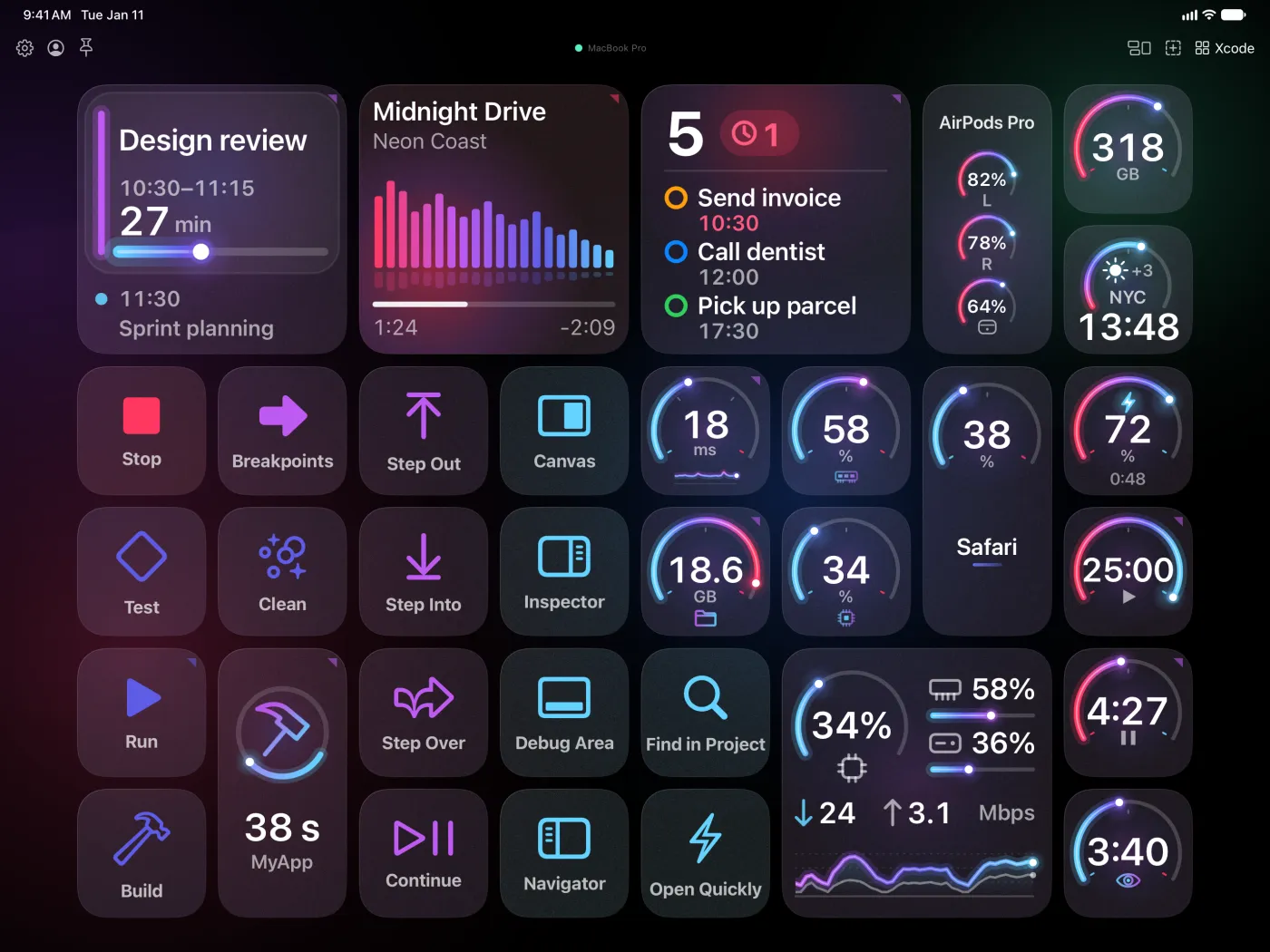
An iPhone holds a grid of 4×8 buttons; a large screen, like an iPad or an unfolded iPhone Duo, holds 6×8: two more columns for buttons only large screens show. Turn it sideways and the page turns with it. Stretch a button over several cells for a gauge, the song playing or the next meeting.
iPhone and iPad share one deck through iCloud: change a page on one and it changes on the other — a smaller screen just leaves out the two extra columns.
Live widgets
Anything with a pulse, on a button.
Buttons don't just fire actions — they glance back. Pin any number from any API, script, or sensor on your Mac. The tile refreshes itself.
Your music, a price from any API, your build, your AI agent waiting on you — every button here is a drawing your script sends. If you can fetch it, you can pin it.
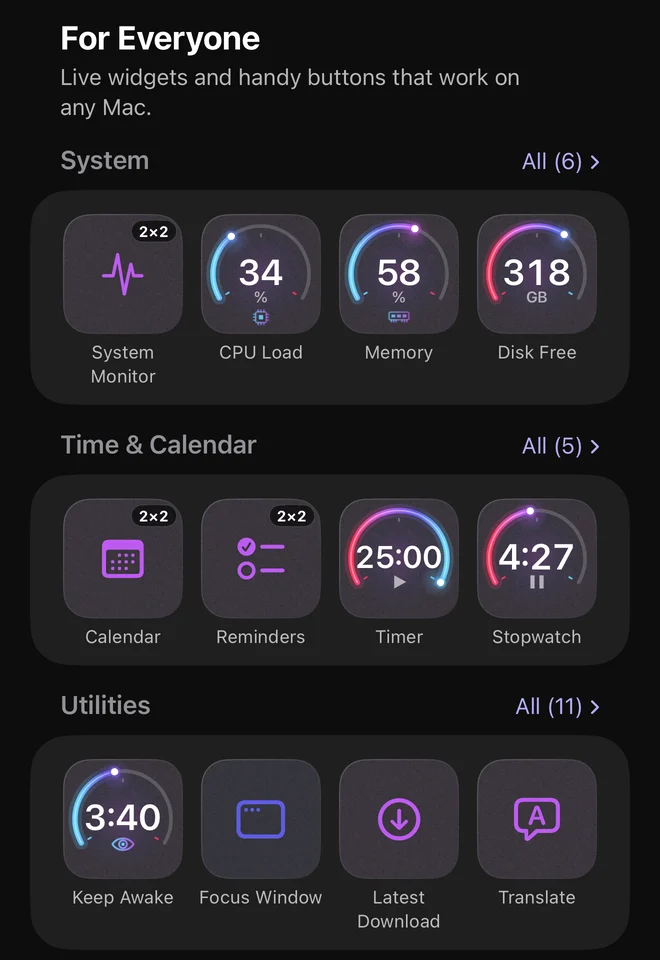
Ready-made widgets and whole living pages wait in the Gallery. Ask your AI for what isn’t there, and write a script of your own only when you want to.
01
Add it from the Gallery
Live widgets for your CPU, memory, disk, battery, calendar, timers and the song that’s playing, handy buttons, and whole pages that come alive. Pick one and add it: there is nothing to write.
02
Ask your AI for the rest
Describe the button in plain words to Claude, ChatGPT or any MCP client. It writes the script and the look; you tap Accept on your phone.
You, to your AI“Add a button that shows how many pull requests wait for my review, and opens them when I tap it.”
03
Write your own when you want to
A live widget is a zsh script on your Mac: a loop that tells the button what to show. Every widget from the Gallery shows its own under Advanced, yours to read and change.
Startup Script · excerpt
# Free disk space: GB left, checked every 10 s# … the helpers from the docs: cell, post, json …
last="" sent_at=-100while true; do
free=$(df -g / | awk 'NR == 2 { print $4 }')
# send a change at once, the same value every 30 sif [[ $free != $last ]] || (( SECONDS - sent_at >= 30 )); then
title=$(json "$free GB free")
post "{\"cellId\":\"$cell\",\"title\":$title}" &&
last=$free sent_at=$SECONDSfi
sleep 10done
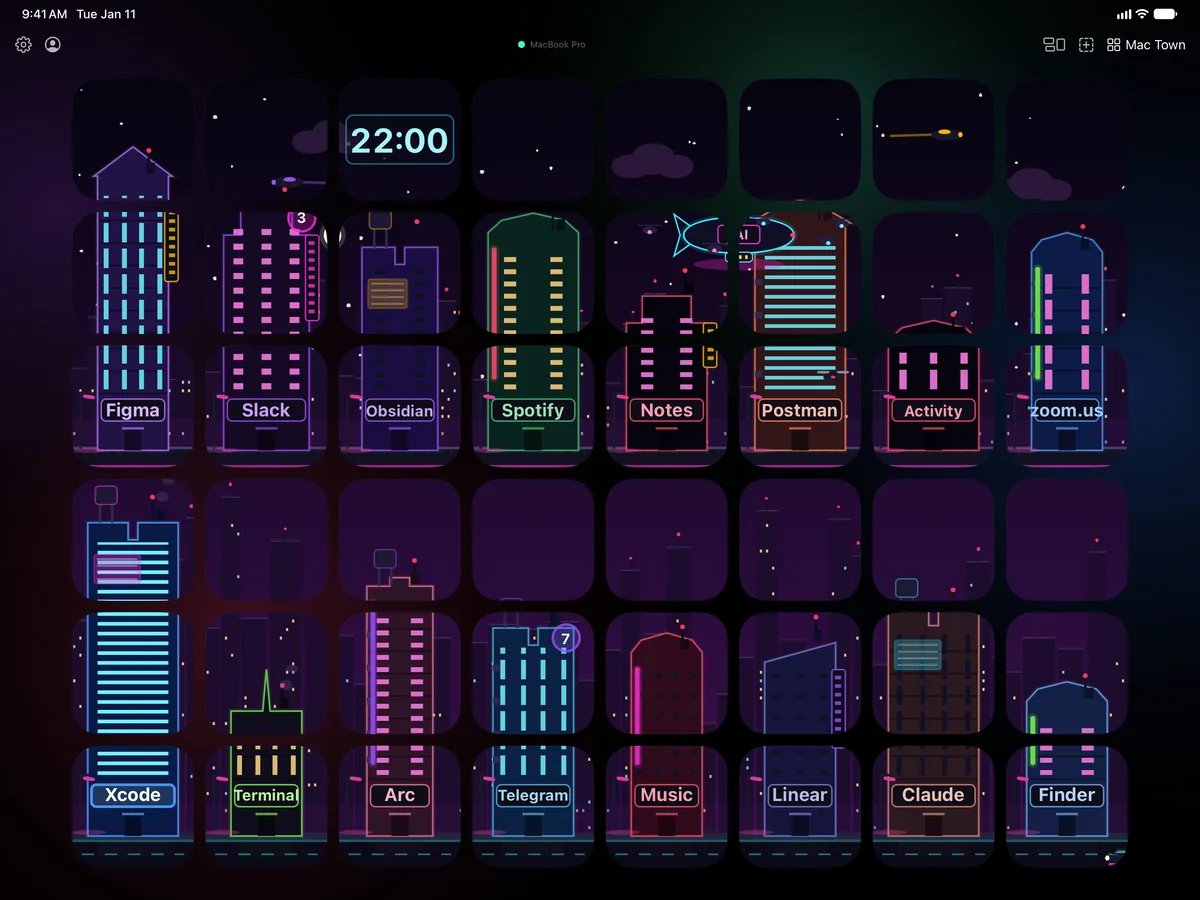
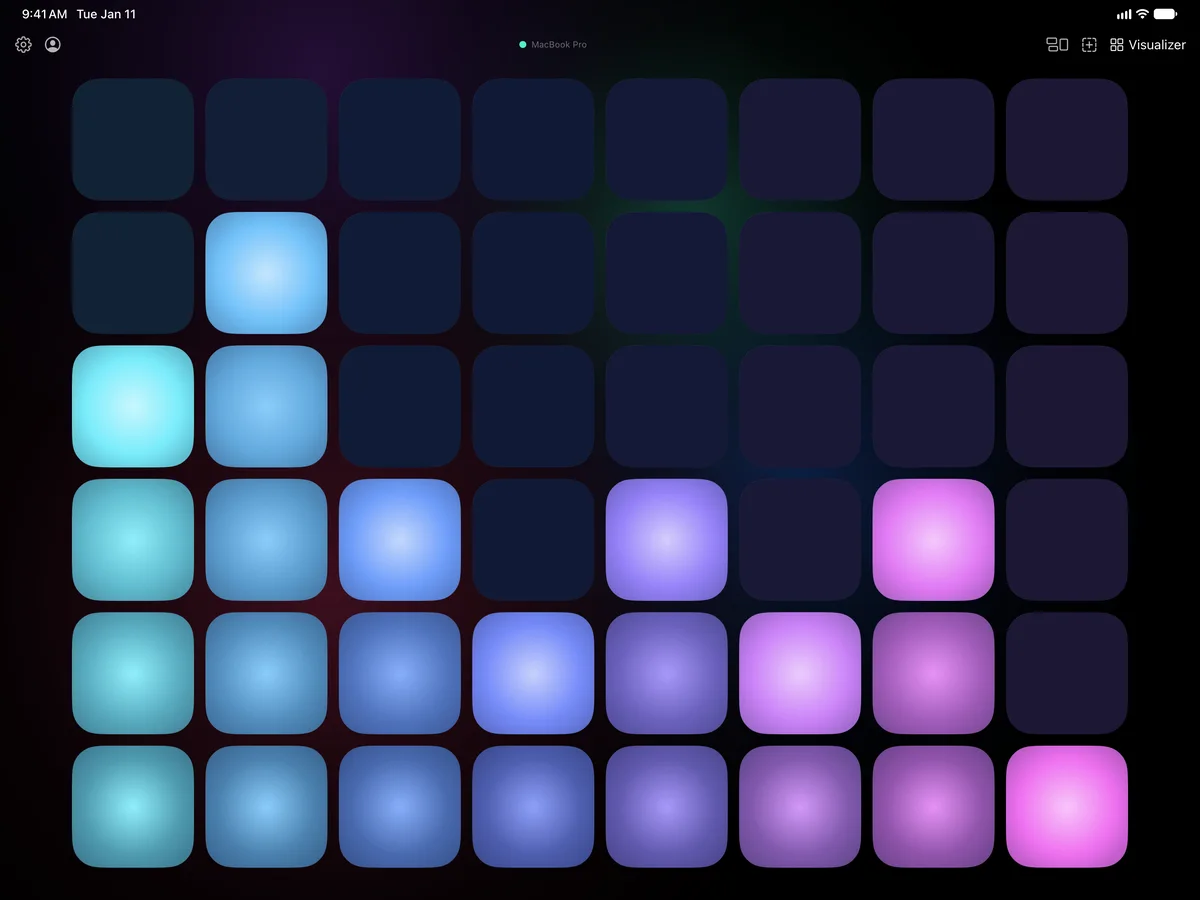
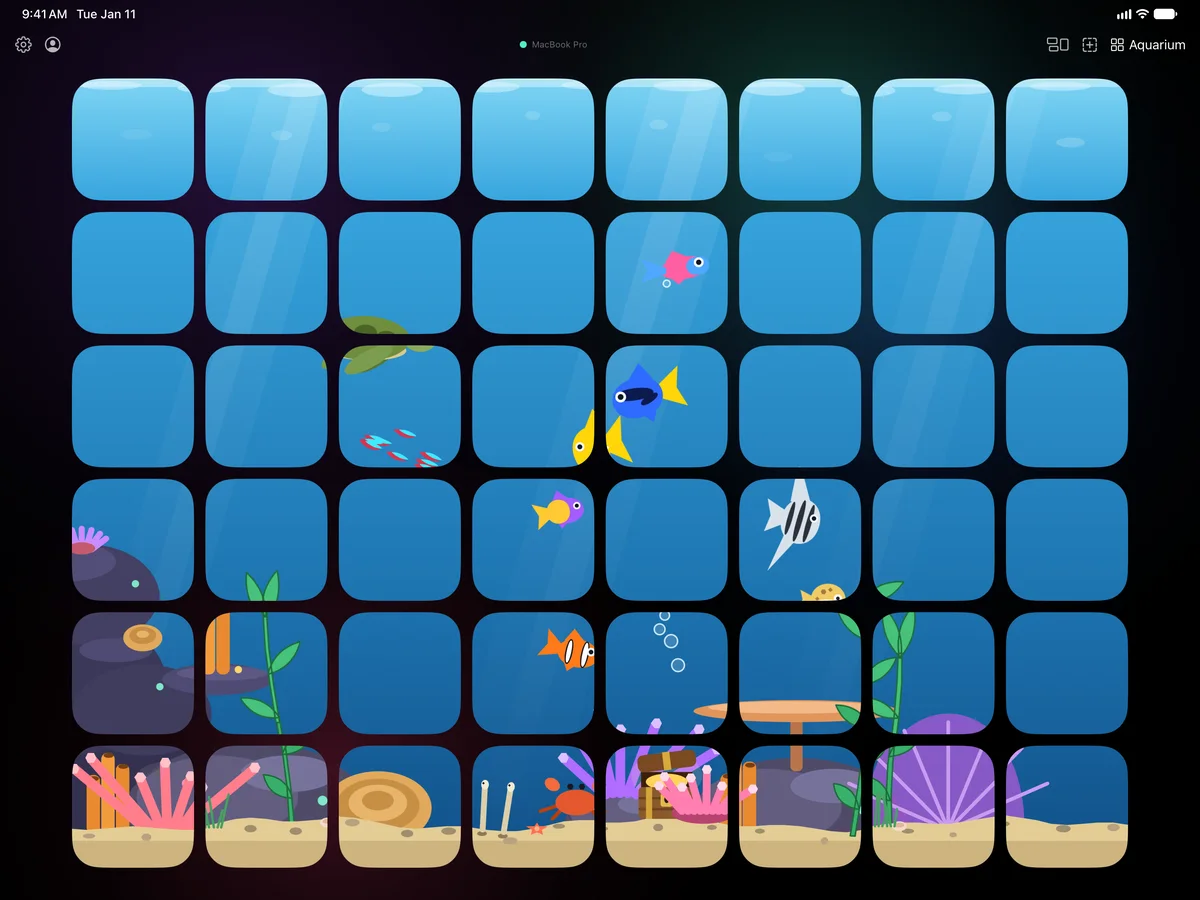
Three scenes in the Gallery’s Unusual collection turn every button of a page into one picture. Tap Add Page, and it’s your own copy to keep or take apart.
Mac Town A neon city built from the apps on your Mac. A busy Mac fills it with traffic; a tap switches apps.Visualizer The sound your Mac plays, across the whole page. A tap brings up the effect and the colors.Aquarium A living fish tank across the whole page. Fish swim from button to button; a tap drops food where you touch.
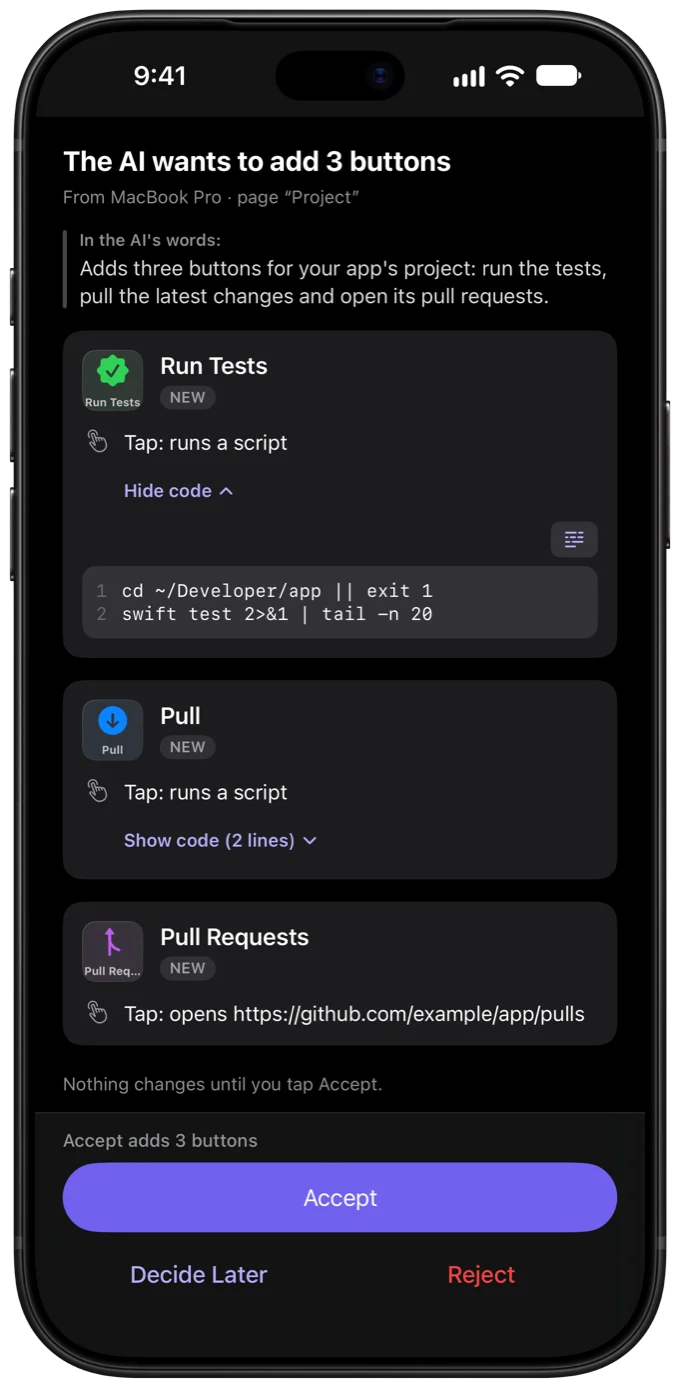
Tell Claude, ChatGPT or any MCP client what you need. It writes the buttons, their scripts and live widgets, and sends the change to your iPhone or iPad as a card: each new button, the code it runs, and Accept.
A change from your AI, waiting for your answer
“A page of Figma shortcuts”
A page of Key Combination buttons
“Show CPU load as a ring”
A drawn ring, kept current by a script on your Mac
“A 25-minute focus timer: tap to start, a ring that counts down”
One button: a tap starts it, a script draws the ring
“Buttons to run my app’s tests, pull, and open its pull requests”
Three buttons: two scripts and a link, each shown on the card
Changes an AI sends through Desmaptic wait for your Accept on your iPhone or iPad.
Through Desmaptic, an AI can’t press your buttons or delete them.
The Desmaptic plugin connects them to your iPhone or iPad from Terminal. Describe what you need in your own words; every change still waits for your Accept on the phone.
Buttons and live widgets, described. Ask for “a page for my video calls” or run /desmaptic:widget CPU load as a ring: the assistant finds room on your page, builds it and sends it over.
Every AI session at a glance. The AI Sessions page gives each Claude Code and Codex session on your Mac a card: working, waiting for your permission, done. A tap answers a session waiting for your reply; touch and hold brings its app forward.
The source is on GitHub. The connection, the four commands and the session hooks are under MIT; the widget skill has its own license, PolyForm Shield 1.0.0.
Claude Code
claude plugin install desmaptic --marketplacedesmaptic/desmaptic-plugin
Pairing takes about a minute. No account, no cloud signup, no setup wizard.
01
Get the iPhone app
Desmaptic for iPhone and iPad is coming soon to the App Store. No account, no signup, nothing to configure on first launch.
02
Install the Mac agent
A tiny menubar app — free, native, lives quietly in your menu bar and stays out of the way.
03
Same Wi-Fi, you're in
Your phone finds the Mac automatically. Confirm a PIN once — that's the whole pairing.
FAQ
Fair questions. Straight answers.
What an AI can touch, what Desmaptic needs from your Mac, and what it costs. The rest is in the docs.
What can an AI do on my Mac without me?
Changes an AI sends through Desmaptic wait for your Accept on your iPhone or iPad. Through Desmaptic, on its own, it can look: your profiles, pages and buttons, your apps and which one is in front, whether your startup scripts run. It can also restart a startup script that is already on your deck.
A new or changed button, page or profile arrives on the phone as a card that shows every script it runs, and nothing changes until you tap Accept. Running a command on your Mac is off until you turn on Allow AI to Run Commands, and then you allow each command. Through Desmaptic, an AI can’t press your buttons or delete them.
This covers what goes through Desmaptic. An AI app that runs commands by its own means, such as Claude Code in Terminal, follows that app’s permissions.
No. Most buttons need none: pick a type such as Launch App, Key Combination, System Action, Run Shortcut or Text Snippet, and set it up on the phone. Ready-made live widgets wait in the Gallery, and an AI app can write the rest for you.
Scripts are there for when no type does the job: zsh or AppleScript, with recipes you can copy as they are.
Claude Desktop, Claude Code and ChatGPT / Codex connect with Connect in the agent’s AI Assistants. Cursor, Windsurf and any other MCP client take a config you copy from the same place.
An AI app is optional. Everything it builds, you can also build by hand on the phone.
Yes, through your own VPN, such as Tailscale. On the same Wi-Fi network, at home or at the office, your iPhone or iPad finds your Mac by itself. Away from home, it reaches the same Mac through the VPN once you allow it on the Mac and turn on App Lock on the phone. Either way they talk to each other directly over an encrypted connection; there is no Desmaptic server to carry a tap over the internet.
You pair once, on the same Wi-Fi, with a 6-digit code. After that, the phone reconnects by itself.
macOS lets an app press keys and type for you only with Accessibility. Desmaptic Agent needs it for Key Combination, Text Snippet and most System Actions: the keys it presses and the text it types when you tap those buttons.
You can skip it in Setup. Those buttons then flash red with “Accessibility access needed”; Launch App, Open URL and scripts that don’t press keys work without it. You can turn it off at any time in System Settings › Privacy & Security › Accessibility.
No. Desmaptic is native to Apple devices: an agent for the Mac and an app for iPhone and iPad, which share your deck through iCloud. There is no Windows agent and no Android app.
On your devices and in your own iCloud. Your deck, with its profiles, pages, buttons and their scripts, syncs between your iPhone and iPad through your iCloud account. What your scripts remember stays in a private folder on your Mac and is never synced.
There is no Desmaptic server, no account and no analytics. If you connect an AI app, what you ask it goes to that app’s servers, under its own privacy policy.
The Mac agent is free. The iPhone and iPad app is free with two profiles and two pages in each, with every button type, live widgets and AI apps included.
Desmaptic Pro unlocks unlimited profiles and pages and lets you reorder pages: monthly, yearly or a one-time Lifetime purchase, through the App Store. A profile or page past the free plan is never deleted: it stays locked until Pro opens it.