Press kit

Desmaptic press kit

Facts, ready-made descriptions and screens of the app for writing about Desmaptic. Use them freely in articles and videos about it.

Download press kit

ZIP · 18.8 MB · 13 pictures and the texts

Press questions: support@desmaptic.com — Mikhail Zhukov, the developer.

Facts

Product
Desmaptic: AI Macropad for Mac. Buttons and live widgets for anything, on iPhone and iPad, built by your AI.
What it is
An iPhone and iPad app plus a free Mac agent in the menu bar. Buttons press key combinations, run zsh scripts and AppleScript, launch apps, run Shortcuts, open URLs, type text snippets and switch pages — or show live data that updates on its own.
AI
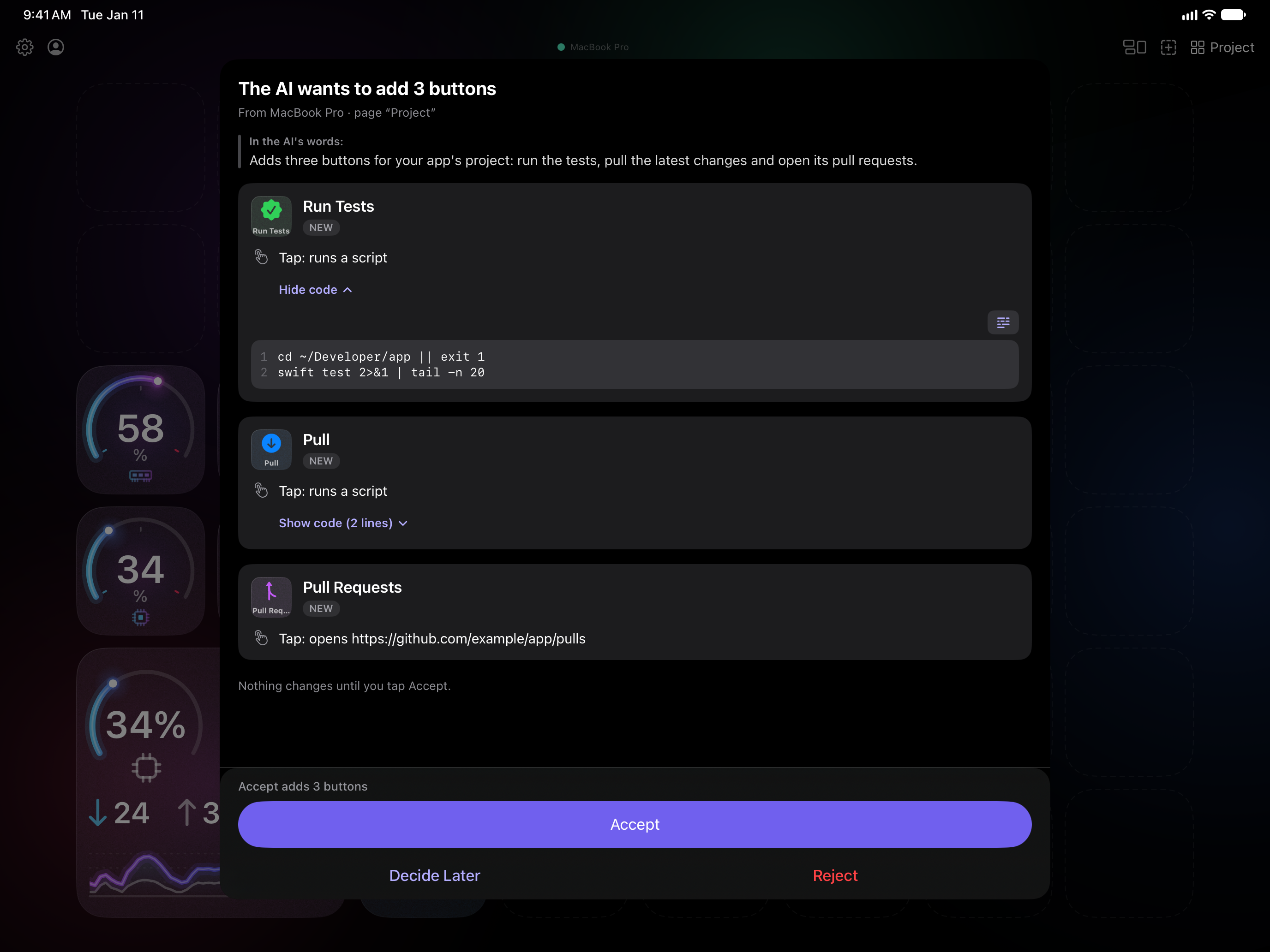
A built-in MCP server. Claude Desktop, Claude Code and ChatGPT / Codex connect with one click in the agent; Cursor, Windsurf and any other MCP client take a config copied from it. An AI can build whole pages. Every change it sends through Desmaptic arrives on the phone as a review card with the full code and applies only after Accept. Through Desmaptic, an AI can’t press your buttons or delete them.
Gallery
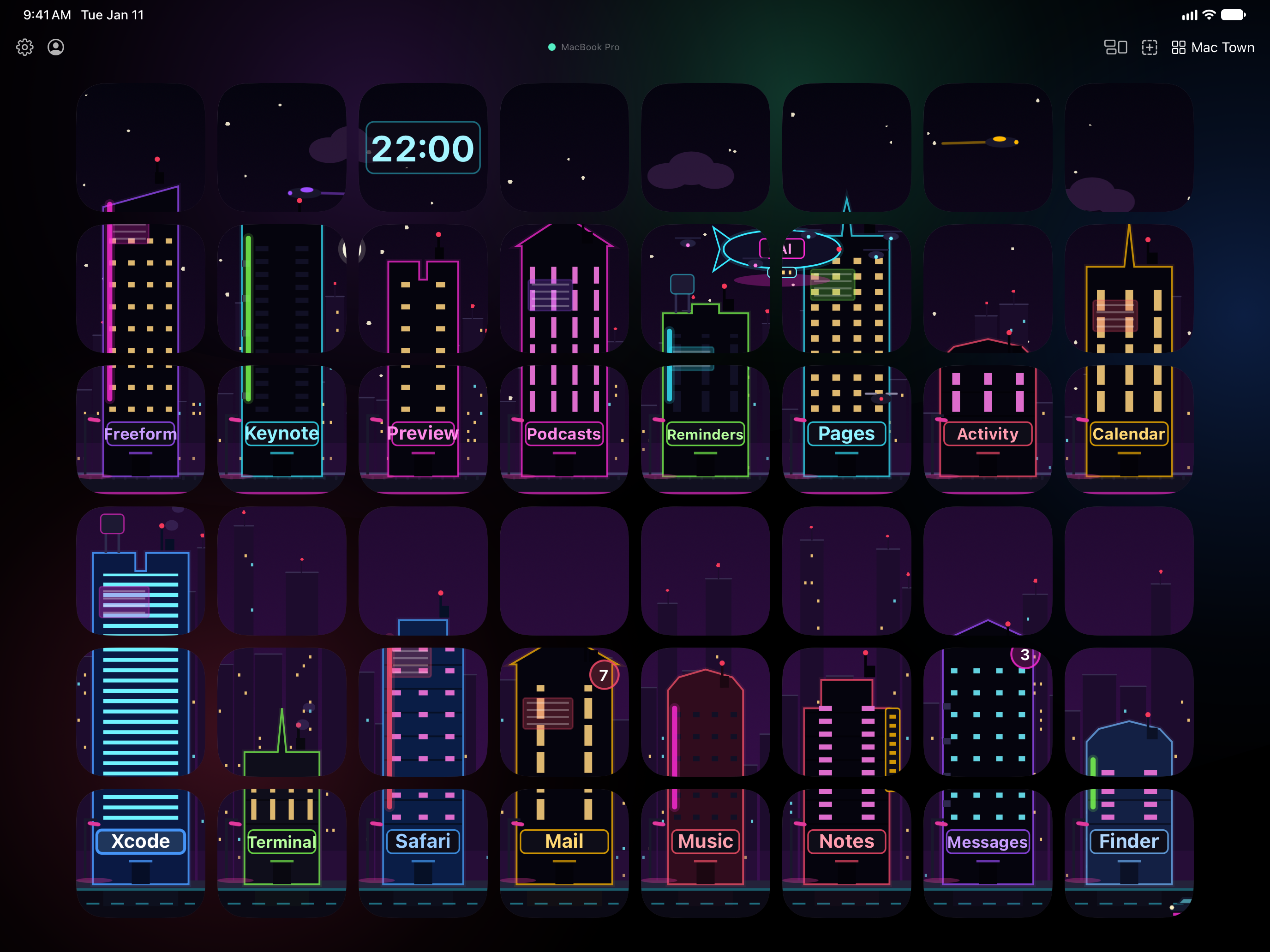
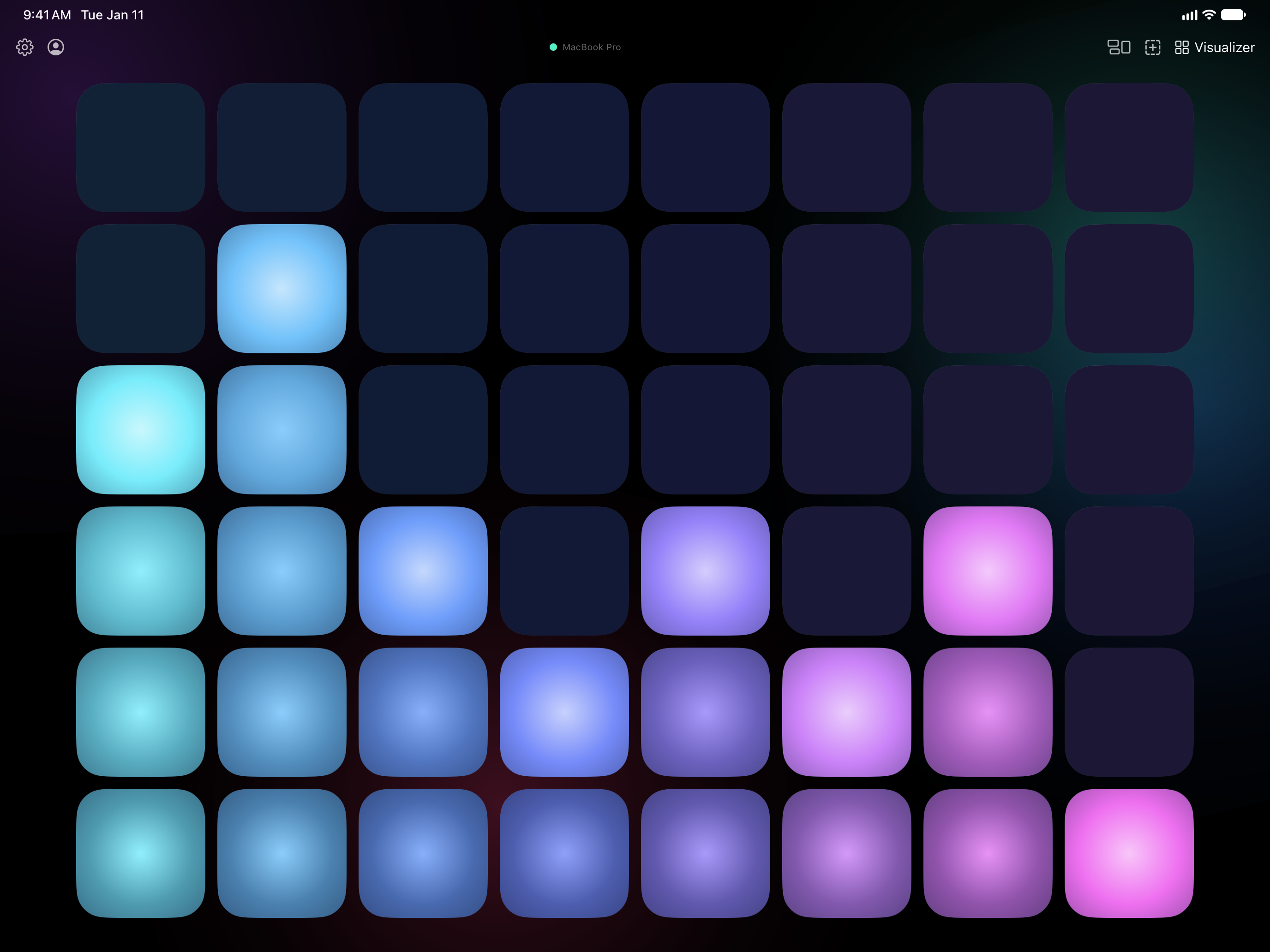
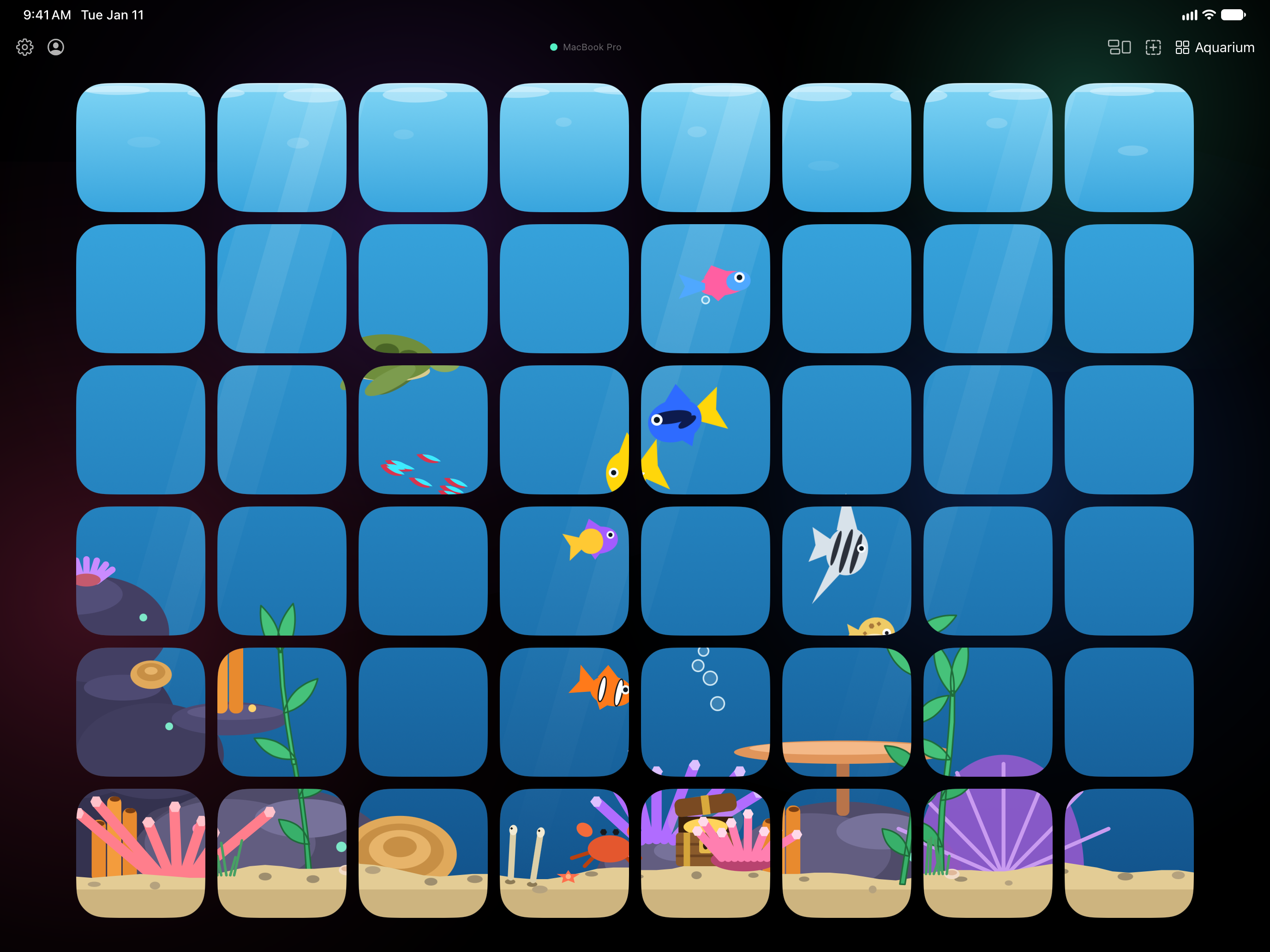
34 ready-made widgets; pages of shortcuts for 35 Mac apps, such as Xcode, VS Code, Figma, Slack and Spotify; 3 full-page scenes: Mac Town, Visualizer and Aquarium.
Grid
4 × 8 buttons on iPhone, 6 × 8 on large screens: iPad and the unfolded iPhone Duo. A button can span several cells.
Privacy
No account, no Desmaptic server, no analytics. Phone and Mac talk directly over the local network through an encrypted connection, paired once with a 6-digit code. The deck syncs through the user’s own iCloud.
Requirements
iPhone or iPad with iOS or iPadOS 17 or later; a Mac with macOS 15 or later running the free agent; both on the same Wi-Fi network. A Mac serves one phone at a time.
Price
Mac agent: free. iPhone and iPad app: free with 2 profiles of 2 pages each, with every button type, live widgets and AI apps included. Desmaptic Pro — monthly, yearly or a one-time Lifetime purchase through the App Store — unlocks unlimited profiles and pages. Prices are in the App Store.
Languages
English, German, Spanish, French, Russian.
Availability
Mac agent: available now, notarized by Apple, updates itself. iPhone and iPad app: coming soon to the App Store.
Developer
Mikhail Zhukov, independent developer, Cyprus.
Links

Descriptions

Ready to paste, in English. The Copy button takes the whole text.

One line

Desmaptic turns your iPhone or iPad into an AI macropad for your Mac: buttons and live widgets, built by your AI.

25 words

Desmaptic is an AI macropad for Mac on iPhone and iPad. Claude, ChatGPT or any MCP client builds buttons; you approve them on your phone.

50 words

Desmaptic turns an iPhone or iPad into an AI macropad for your Mac. Buttons press hotkeys, run scripts, launch apps or show live numbers. Ask Claude, ChatGPT or any MCP client for a page: it arrives on your phone with every script shown, and applies only when you tap Accept.

150 words

Desmaptic turns the iPhone or iPad you already own into an AI macropad for your Mac. A free menu-bar agent runs everything on the Mac; the phone holds the buttons: key combinations, zsh and AppleScript, Shortcuts, app launches, text snippets — and live buttons that draw data, like a CPU ring or a countdown.

You don’t have to build the deck by hand. The agent includes an MCP server, so Claude, ChatGPT / Codex or any MCP client can build whole pages. Every change it sends arrives on the phone as a card showing each script, and applies only when you tap Accept. Through Desmaptic, an AI can’t press your buttons or delete them.

There is no account and no Desmaptic server: phone and Mac talk over the local network, encrypted. The Mac agent is free; the app is free with two profiles of two pages, and Desmaptic Pro unlocks the rest.

What sets it apart

  1. Your AI builds it; you approve it on the phone. An AI app doesn’t just trigger actions someone set up: it sends finished buttons — scripts, icons, live faces — and the phone shows every line of code before you tap Accept.
  2. Buttons that draw. A button can be a picture a script keeps current: rings, graphs, clocks, a build that turns red. Three scenes turn a whole page into one picture, like a neon city built from the apps on your Mac.
  3. No new hardware, no cloud. The iPhone or iPad you already own, no account and no Desmaptic server. A large screen, such as an iPad or an unfolded iPhone Duo, gets two more columns of buttons.

Short FAQ

Is it safe to let an AI change the deck?
Changes an AI sends through Desmaptic wait for Accept on the iPhone or iPad, with every script shown on the card. Running a command on the Mac is off until you turn on Allow AI to Run Commands, and then you allow each command. Through Desmaptic, an AI can’t press your buttons or delete them.
Does it work away from home?
The iPhone or iPad and the Mac need to be on the same Wi-Fi network. There is no Desmaptic server to carry a tap over the internet.
Do I need to write code?
No. Most buttons are a type you pick and set up on the phone, ready-made live widgets wait in the Gallery, and an AI app can write the rest.
Is there a Windows or Android version?
No. Mac, iPhone and iPad only.

Pictures

Screens of the app as it runs, with sample data. Click a picture for the full-size PNG; all of them are in the archive.
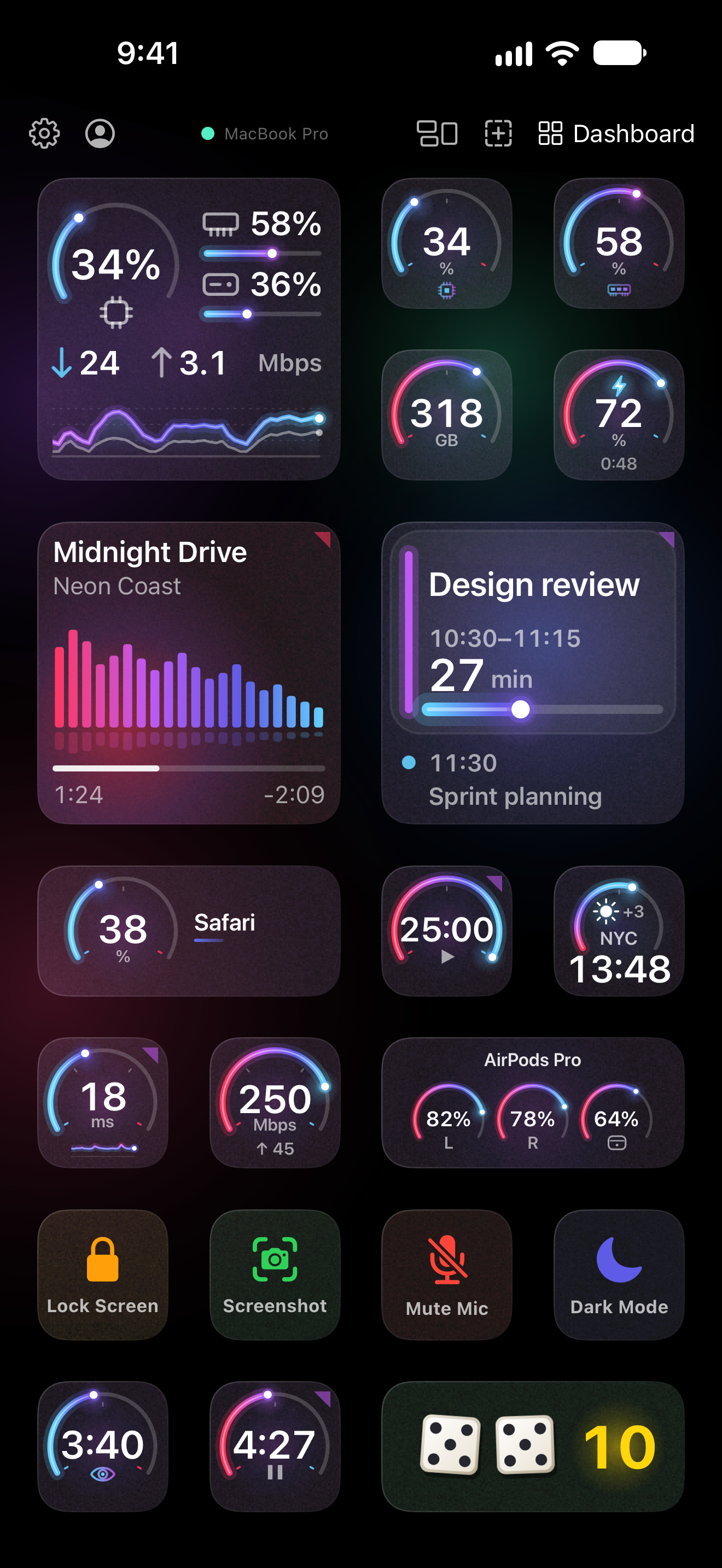
iPhone PNG · 1320 × 2868

A deck on iPhone: gauges for CPU, memory, disk and battery, the song playing, the next meeting and buttons for Mac actions
A deck of live widgets 2.2 MB
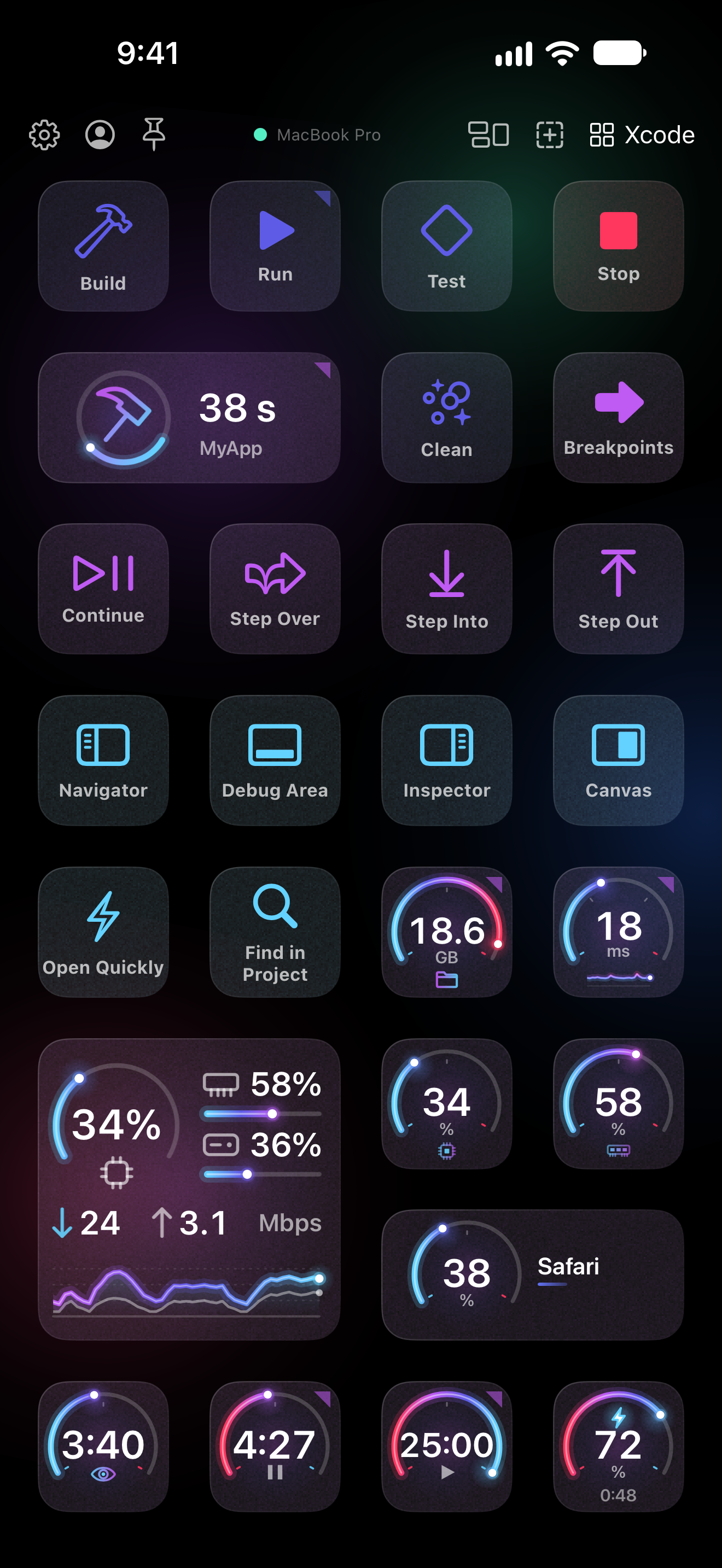
The Xcode page on iPhone: Build, Run, Test, Stop, the build time and debugger buttons
A page for Xcode 1.9 MB
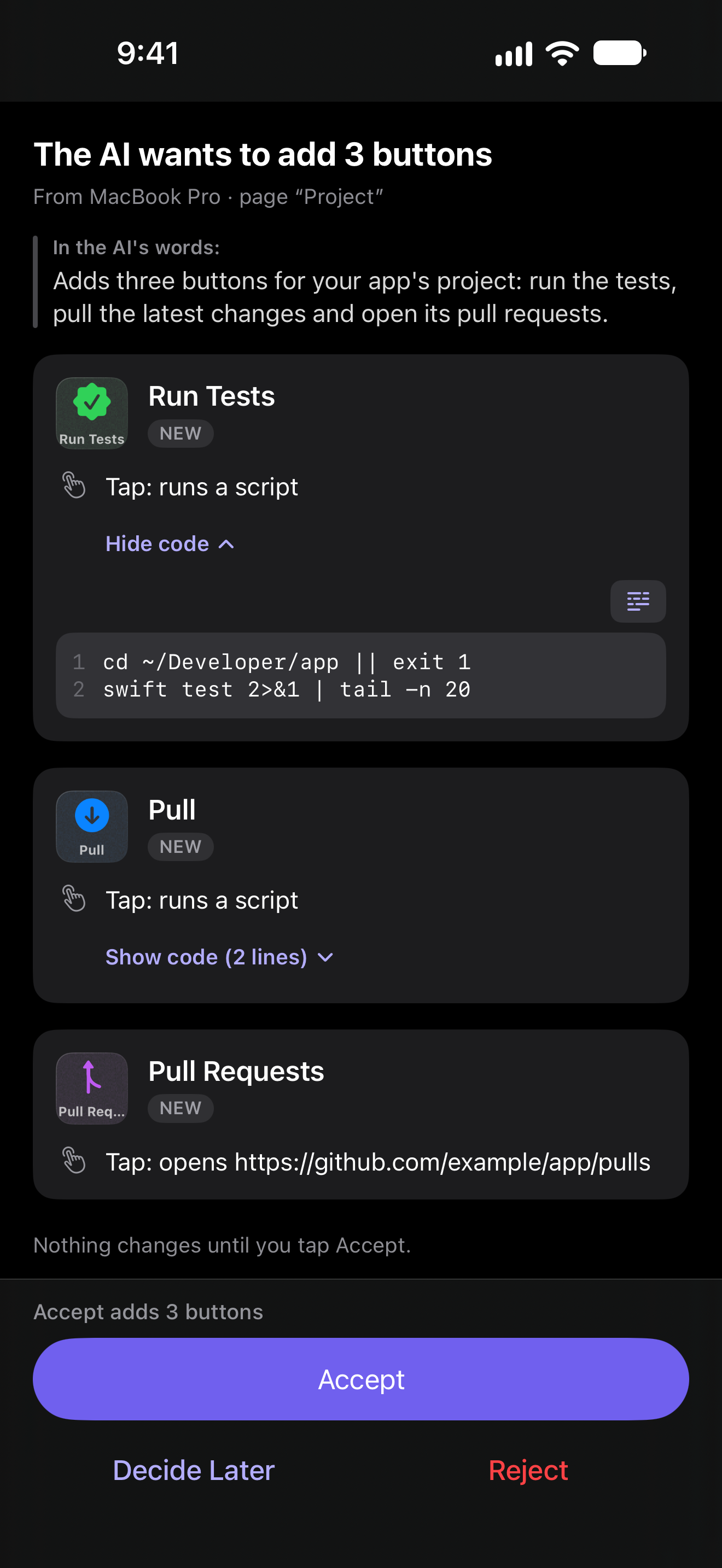
The review card on iPhone: the AI wants to add 3 buttons, each with its code, and Accept
Buttons from an AI, waiting for Accept 449 KB
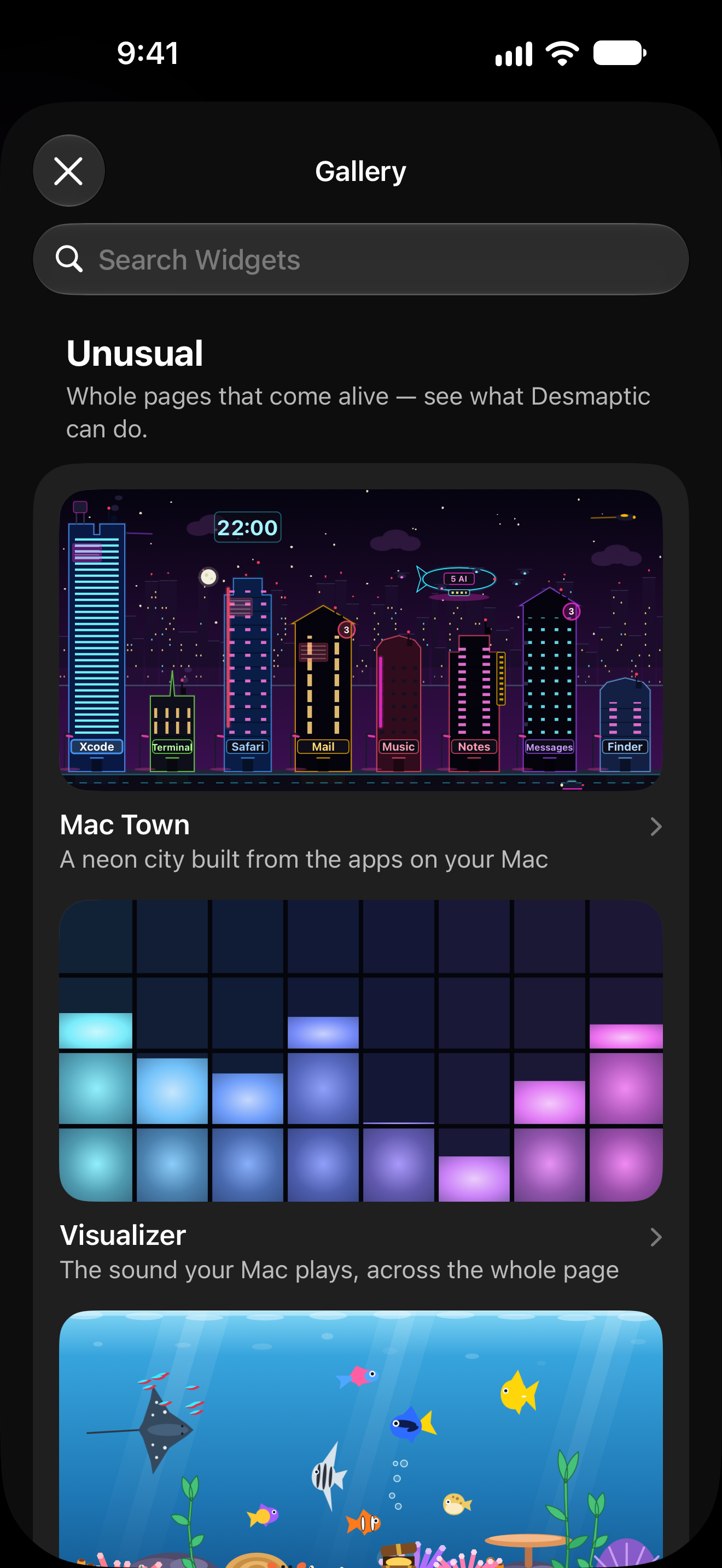
The Gallery on iPhone: the Unusual collection with Mac Town, Visualizer and Aquarium
The Gallery 891 KB
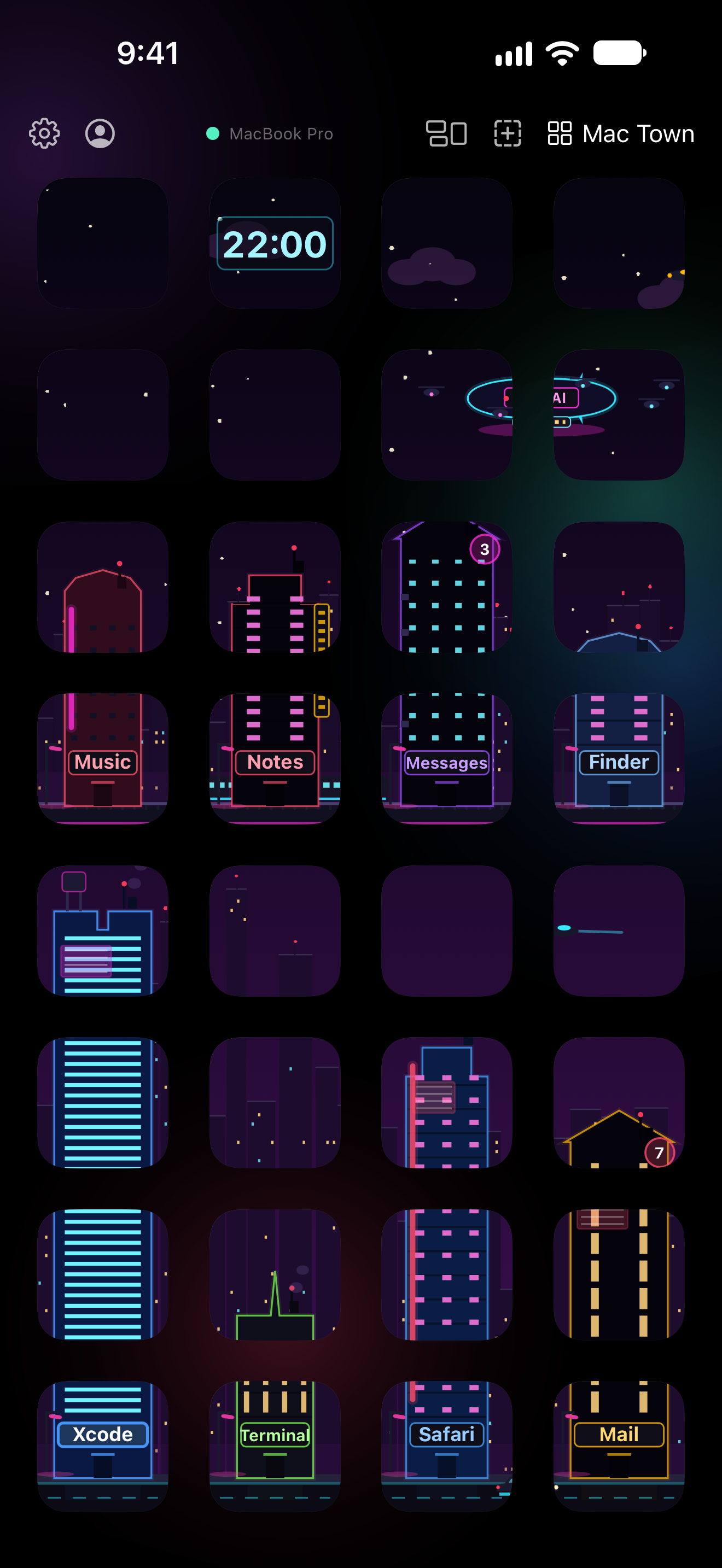
The Mac Town scene on iPhone: a neon city whose buildings are apps on the Mac
Mac Town 869 KB

iPad PNG · 2752 × 2064

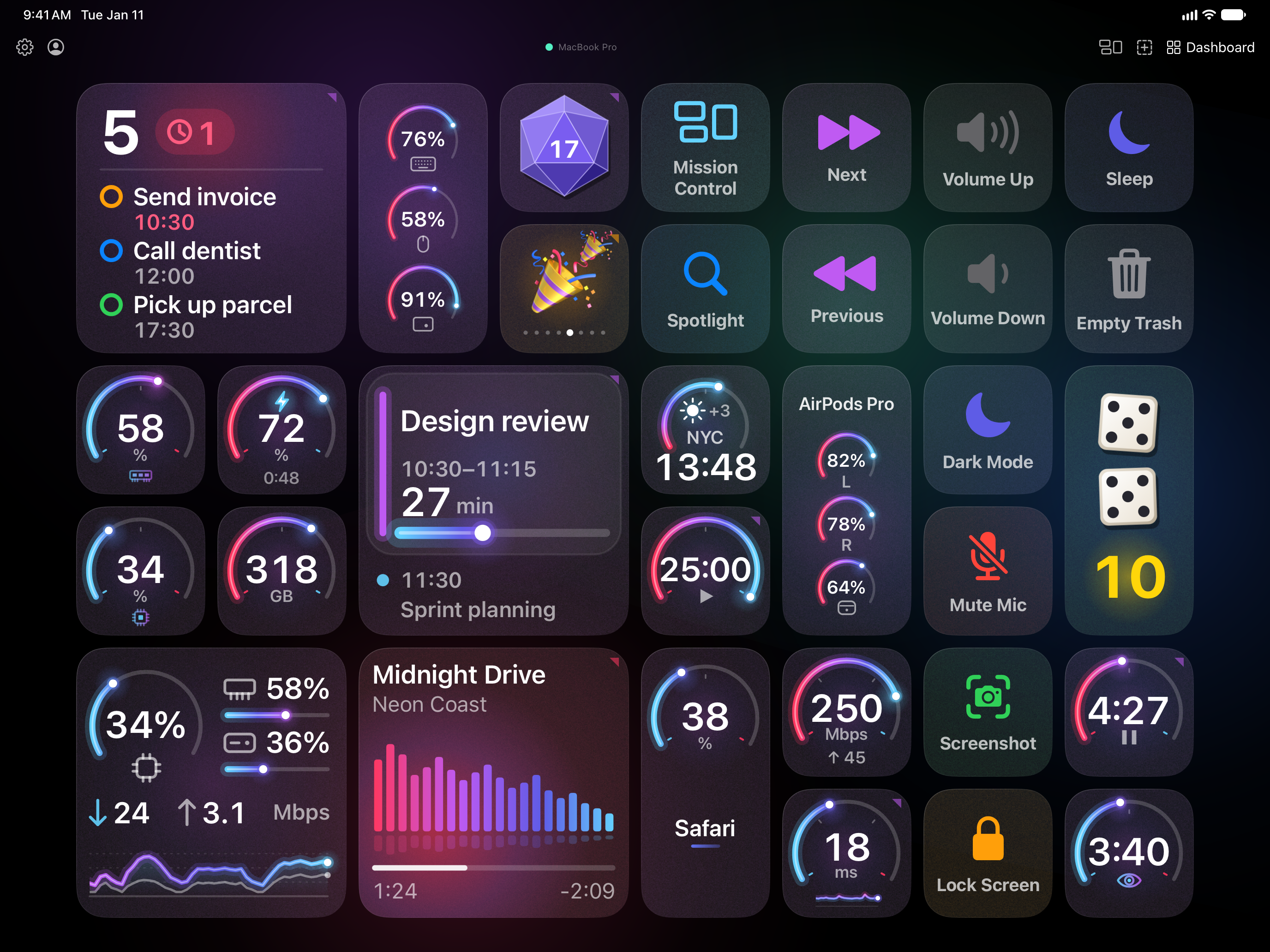
A deck on iPad in landscape: reminders, gauges, the next meeting, the song playing and buttons for Mac actions
A deck of live widgets 4.7 MB
The review card on iPad: the AI wants to add 3 buttons, each with its code, and Accept
Buttons from an AI, waiting for Accept 1.1 MB
The Mac Town scene on iPad: a neon city across the whole page
Mac Town 1.4 MB
The Visualizer scene on iPad: every button a bar of the sound the Mac plays
Visualizer 2.5 MB
The Aquarium scene on iPad: a fish tank across the whole page
Aquarium 2.0 MB

Mac agent PNG · 2×

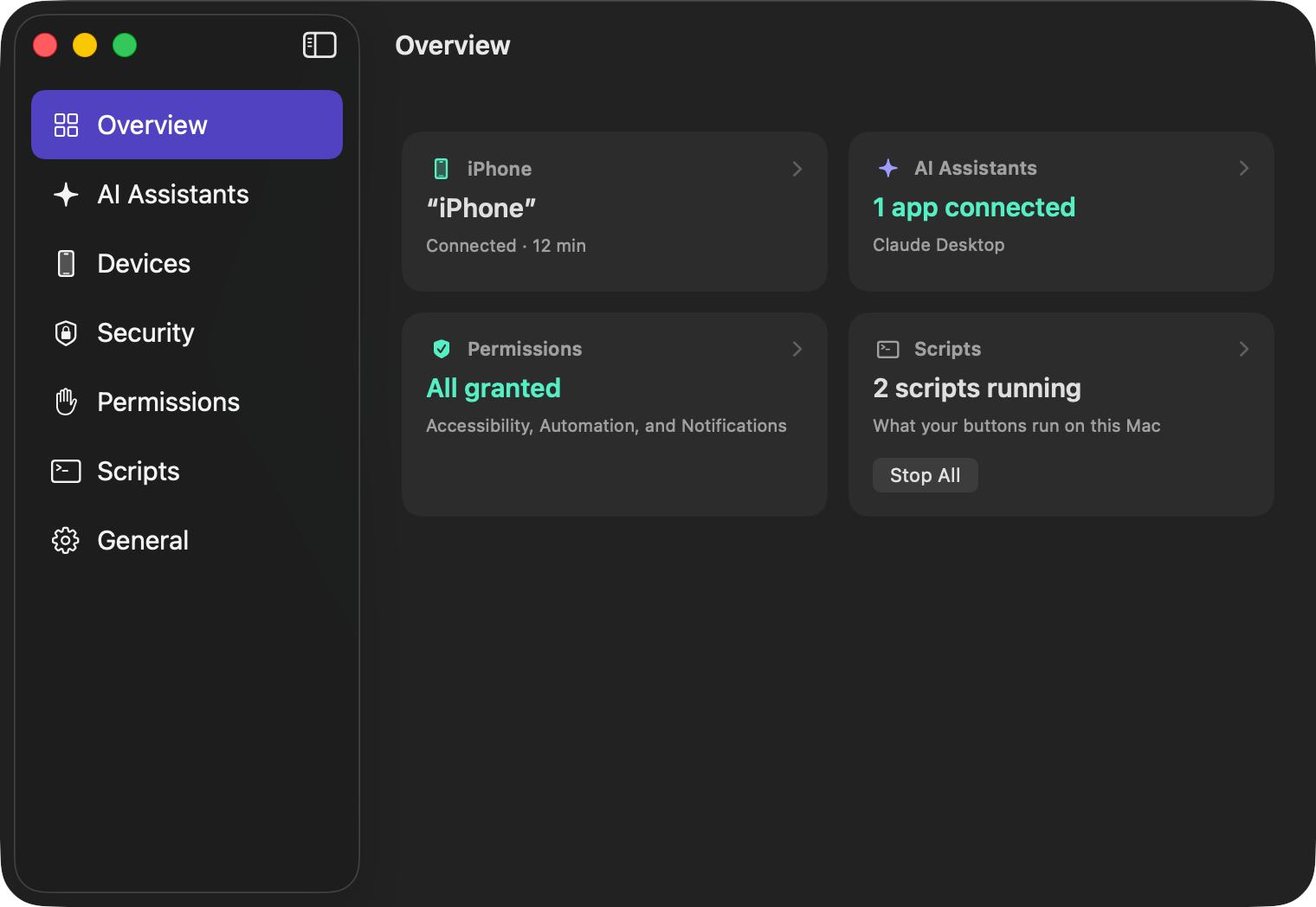
The Desmaptic Agent window on the Mac, Overview: the iPhone connected, an AI app connected, permissions granted, two scripts running
The agent’s window, Overview 1520 × 1048 · 127 KB
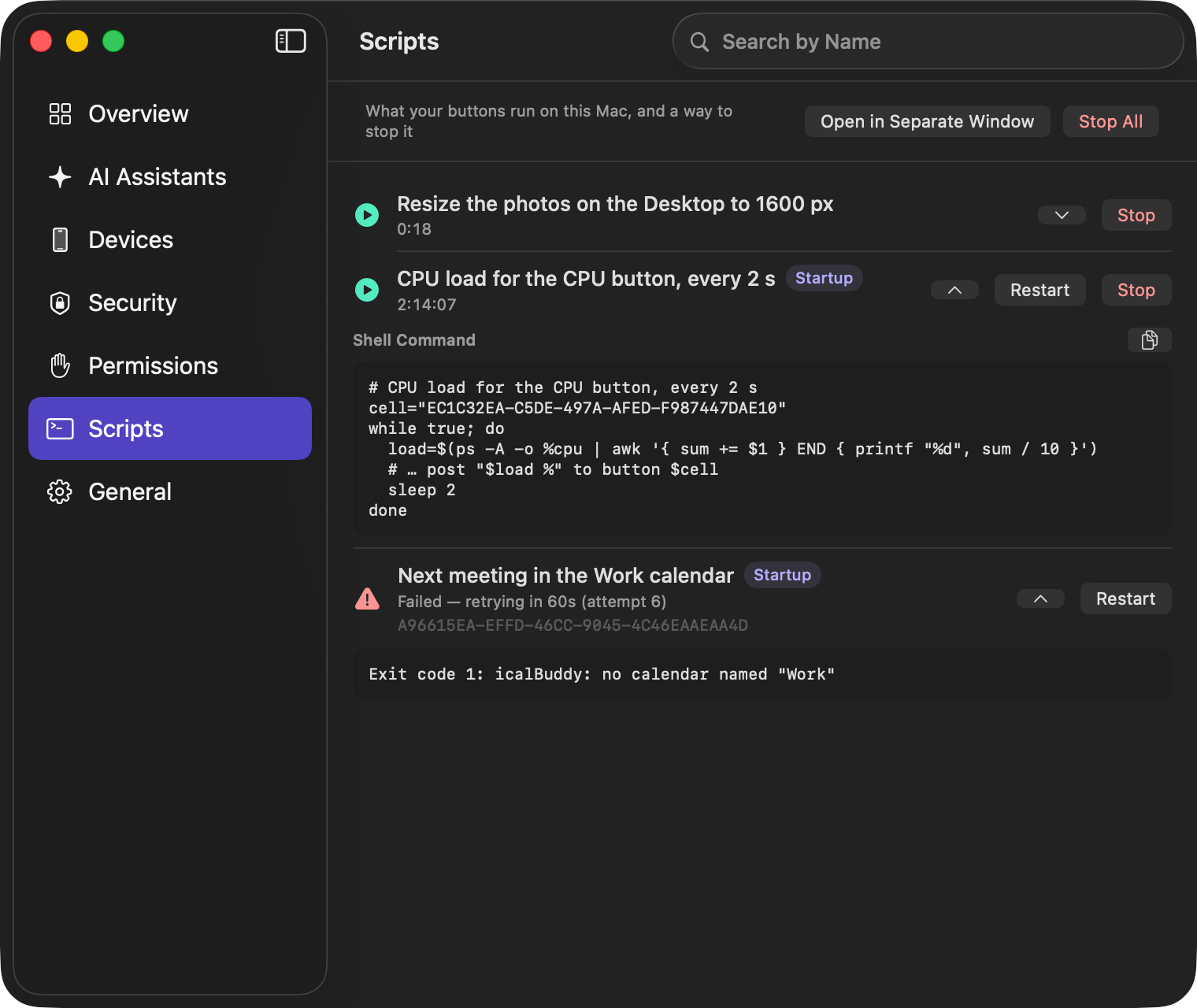
The Desmaptic Agent window on the Mac, Scripts: what the buttons run on the Mac, with Restart and Stop
The agent’s window, Scripts 1520 × 1280 · 215 KB

App icon PNG · 1024 × 1024

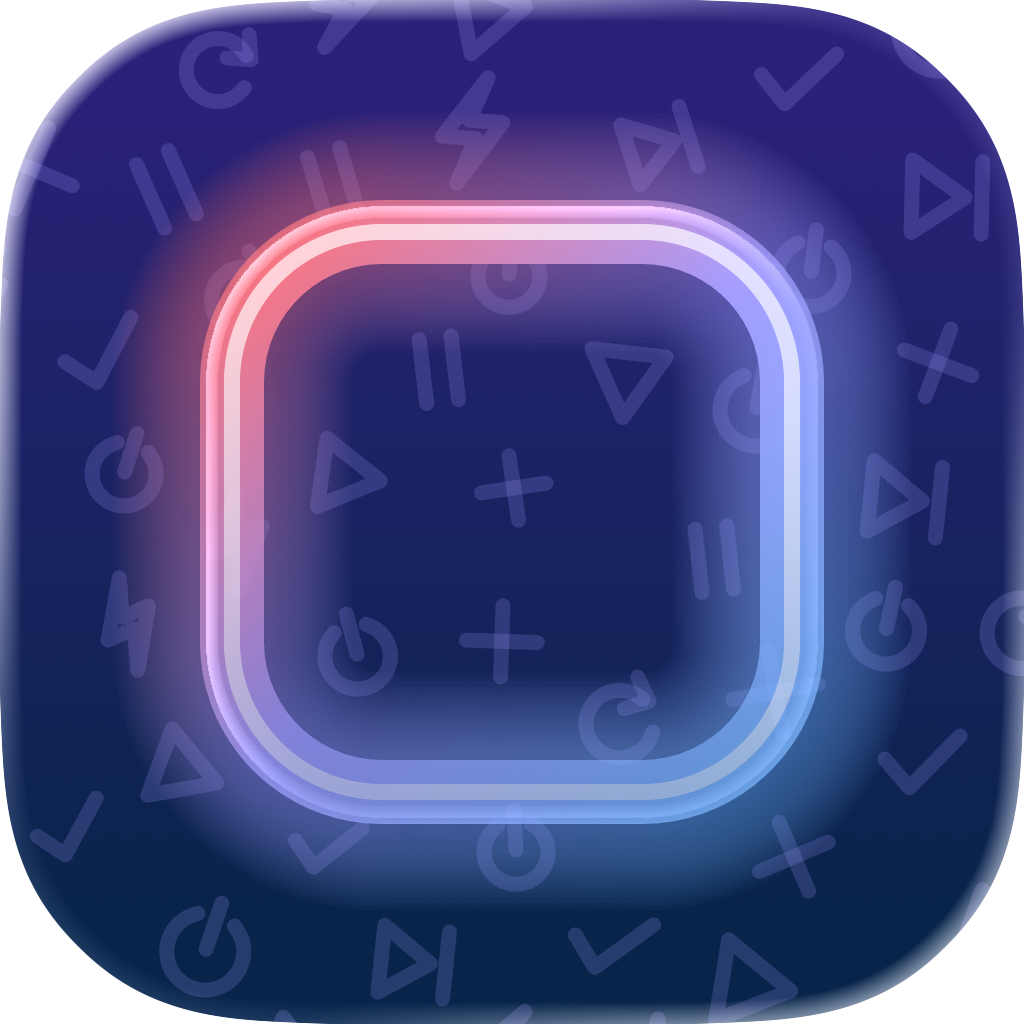
The Desmaptic app icon: a key drawn as a glowing neon tube on a night-blue rounded square, faint action symbols behind it
Desmaptic icon 665 KB